How we check that a clip never changes the house
AI video models sometimes add a window, bend a door frame or make a countertop disappear. In a listing that is misleading, so no clip reaches your video until it has been compared with your photo.
The check, step by step
- Sample four frames. From each finished clip we take four frames: at 1 second, 2 seconds, 3 seconds and the last frame. Each is compared with your original photo.
- Two independent votes. Two separate Gemini checks look at those frames and answer one question: did anything get added, removed or reshaped? Both must pass. If either one objects, the clip fails.
- First-frame match. On top of the votes, the first frame of the clip must be close to your photo: a structural similarity (SSIM) score of at least 0.55. That catches a clip that starts somewhere else.
- One conservative retry. A clip that fails is made again once, with a slower and more cautious camera move, and goes through the same checks.
- 3D move made from your photo. If the retry also fails, that photo gets a camera move we compute from the photo itself: a depth map separates near objects from far ones, and the move only re-uses the pixels of your photo. Nothing is generated, so nothing can be added or changed. Kitchens and bathrooms, where AI tends to rebuild fixtures, skip the AI step and start here.
- Pan-and-zoom as the last resort. In the rare case the 3D move cannot be made, that photo becomes a simple pan-and-zoom of the real photo.
In a real test on 5 listing photos, 4 ended up using AI camera motion and 1 fell back to a pan-and-zoom. That is one small test, not a rate we promise.
A real example: the kitchen that lost its breakfast bar
This kitchen photo is from that test. The first attempt was rejected by the checker, and the retry passed.
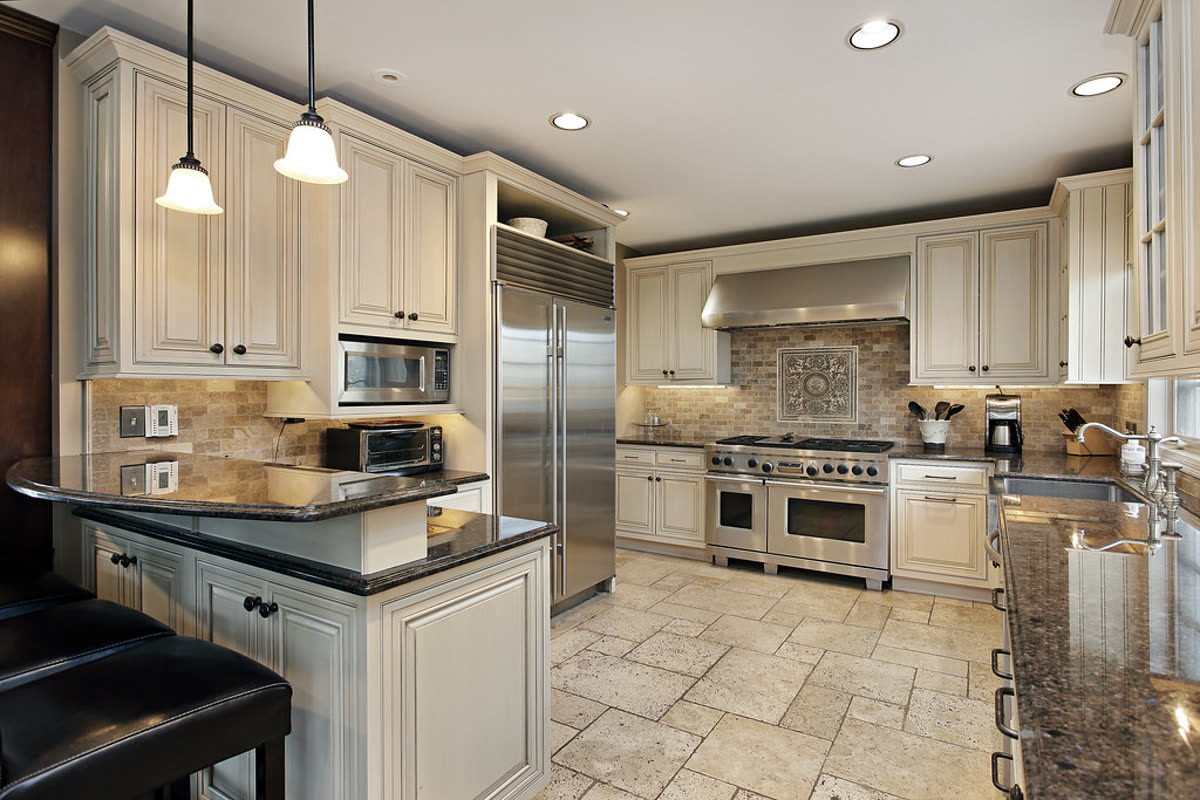
The breakfast bar disappeared
Both checks flagged the same frame, so this clip was never used.
frame 4: pendant lights vanish while in frame
retry with a slower, safer camera move
Same kitchen, nothing moved
The retry passed both checks. This is the clip that went into the video.
What we do not do
- We do not add furniture, rooms, views or decor. Today the only thing added to a video is the AI presenter you choose, and it is labelled as an AI character.
- We do not remove clutter, repair walls, stage rooms, change the sky or "improve" a room. We do not offer virtual staging or day-to-dusk effects.
- We do not claim the check is perfect. It is automated, so watch the video before you post it.
How videos are labelled
- Every video carries a small AI-assisted label.
- If an effect that changes a room is ever added, it will be labelled "digitally enhanced" on screen.
- An AI host such as our mascot is shown as an AI character.
See the terms for what you agree to when you publish, and the about page for what the site refuses to make.
Made by Tourly, a small team building listing video tools. Questions or a clip that looks wrong? Contact us.