Real estate video from photos: one listing, timed step by step
We turned five ordinary listing photos into a listing video and timed every step. Try the same thing on your photos: the 15-second sample is free, with no account.
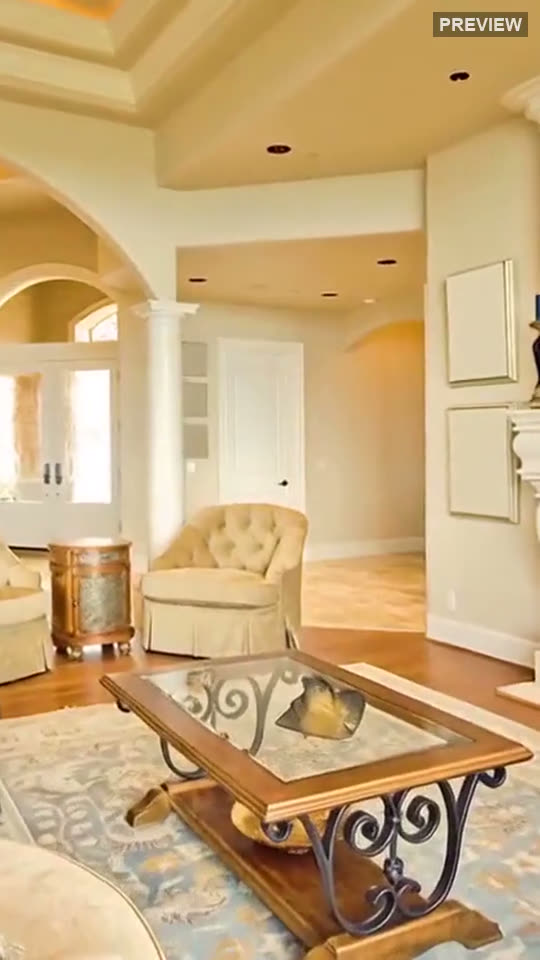
A free sample made from 3 real listing photos. Rooms unchanged.
The finished video, both formats
These are the files this run produced, unedited. The small label in each corner says whether that clip is AI motion or a move made from the photo.
The five listing photos we started with
Two living rooms, two kitchens (one with a staircase) and a bathroom: ordinary listing photos, the kind most agents already have. Each was labelled automatically on upload.
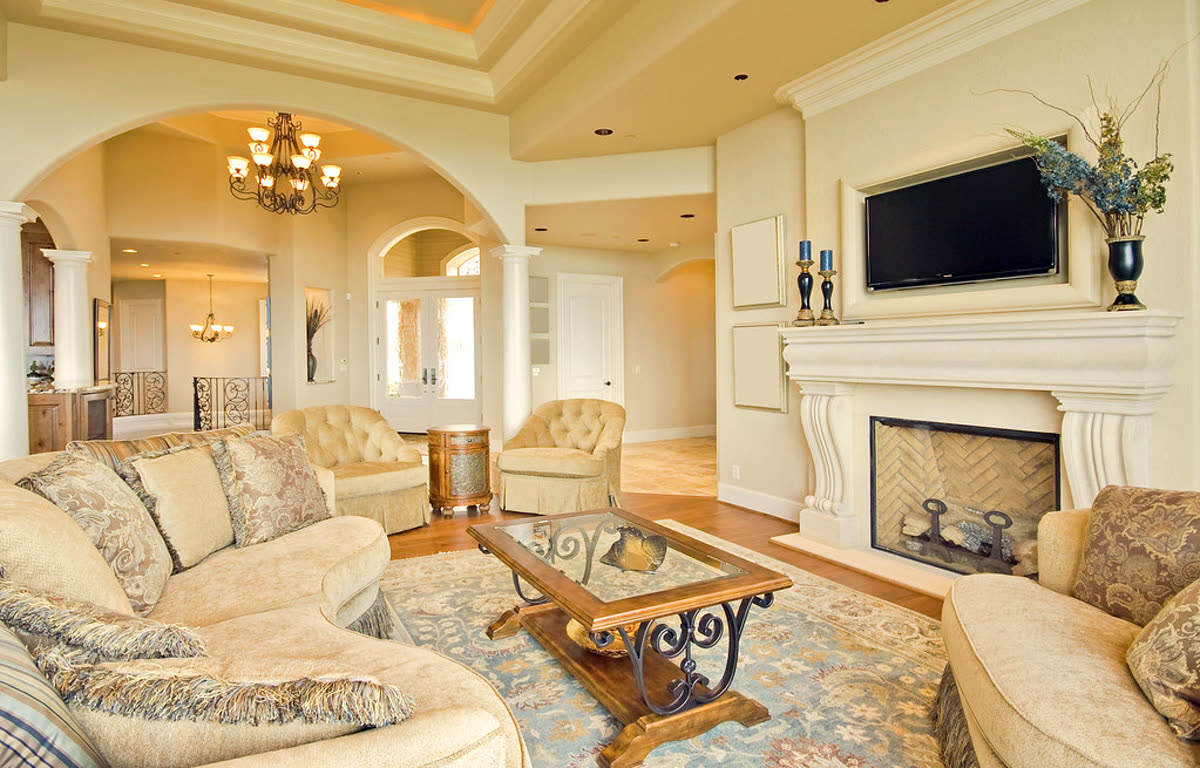
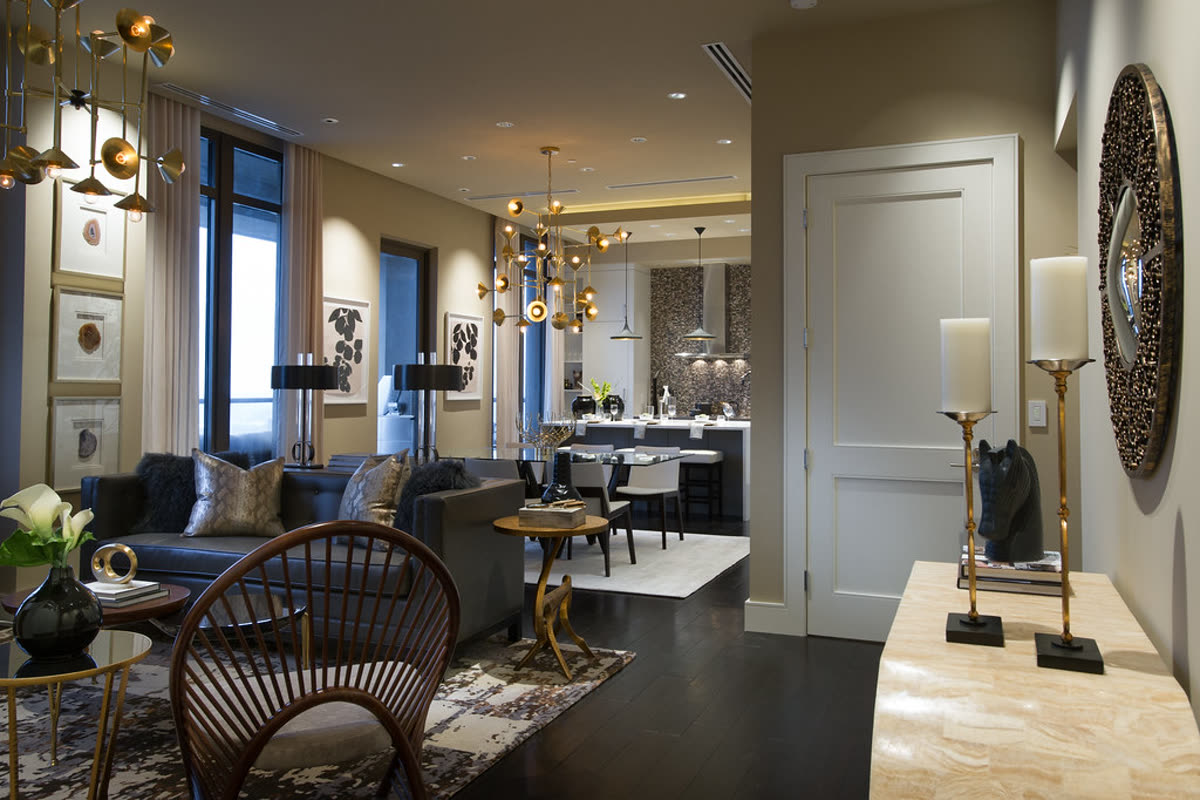
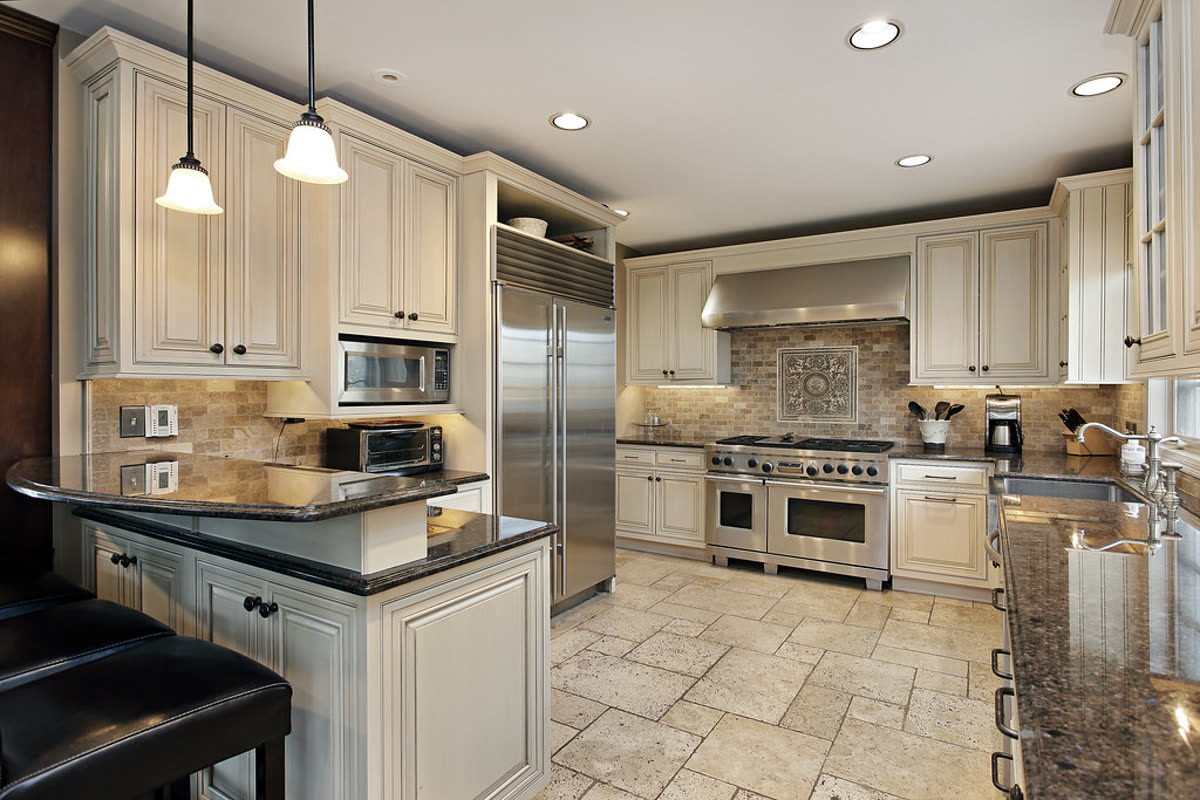
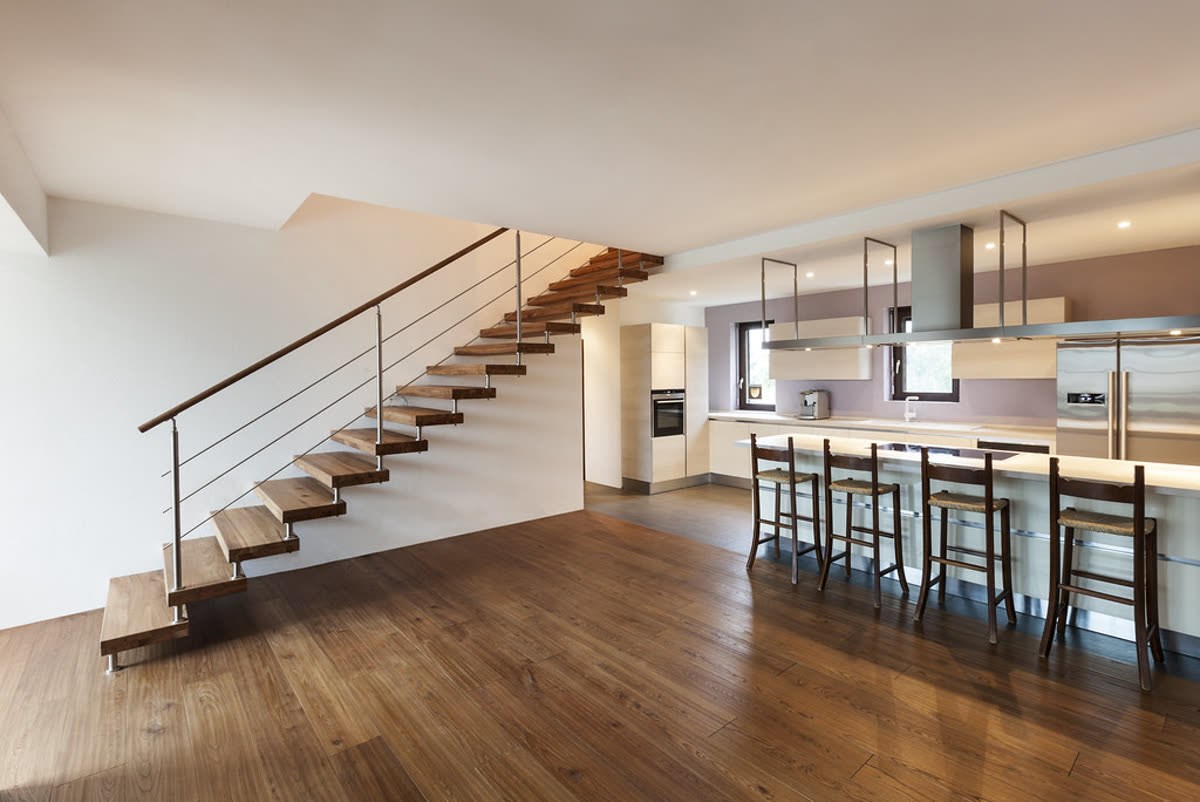
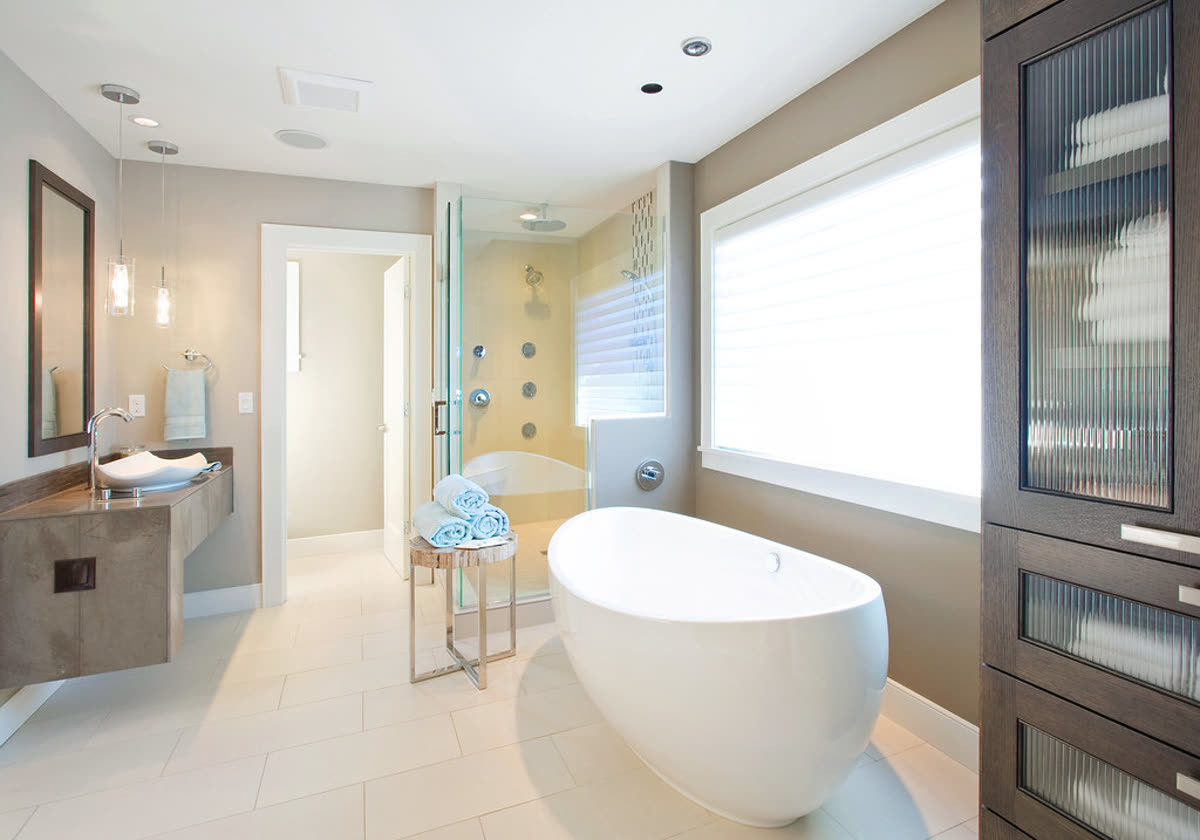
From photos to video, step by step, with times
Measured on 2026-10-20, start to finish on a normal laptop and connection. Rendering happens on our side, so you can close the tab and come back.
| Step | Time | What happened |
|---|---|---|
| Add the photos | 6 seconds | Five photos dropped in. Each one got a room label on upload, and they were put in walk-through order. |
| Fill in the listing | Seven short fields (not timed) | Price, status (Just listed), address, beds and baths, one highlight, and the agent card. Style Editorial, both formats, warm music, no presenter. |
| Watch the free 15-second sample | 4 min 4 s | Three of the photos as a vertical reel with a PREVIEW watermark and an end card. No account or card needed for this step. |
| Render the full video | 3 min 21 s | All five photos, 18 seconds long, delivered as two files: 1920×1080 for the listing page and YouTube, 1080×1920 for Reels and TikTok. No watermark. |
Total waiting for renders: 7 minutes 25 seconds, of which the full video was 3 minutes 21 seconds. With more photos the full video takes longer.
What the accuracy check did on this listing
In the free sample, the first AI clip of the living room changed something in the room, so the check rejected it and the clip was made again with a slower, safer camera move. The retry matched the photo and is the one you see.
In the full video, both living rooms got AI camera motion and passed. The two kitchens and the bathroom went straight to a 3D move computed from the photo, because those are the rooms where AI tends to rebuild cabinets and fixtures. The full method, with another rejected clip, is on how we check accuracy.
What this real estate video cost
- Free 15-second sample: $0, no account, no card.
- Full video in both formats: $19 paid once, or 10 credits ($15 each with the 30-credit pack). Credits never expire.
- Re-export with a new price later: free. No subscription, nothing renews.
How we ran this example
We used the live site as a customer would, with the five sample photos built into the photo step, and timed each step from the moment we pressed the button to the moment the result appeared. The price, address and agent card are invented. The photos are public-domain listing photos from Flickr:
- Foto Miki Digital: living_ornate, kitchen_busy, loft_stairs, bath_mirror_glass
- The Residences at Mandarin Oriental: living_dining_mirrors
Real estate video from photos FAQ
How long does it take to make a real estate video from photos?
In this run, rendering took 3 minutes 21 seconds for a full video from 5 photos, after a free 15-second sample that took 4 minutes 4 seconds. Adding the photos took 6 seconds; the listing details are seven short fields. More photos take longer; around 10 minutes is typical for 20.
How much did this video cost?
The 15-second sample was free. The full video, in both 16:9 and 9:16, is $19 paid once, or 10 credits, which is $15 when you buy the 30-credit pack. There is no subscription.
Why did the kitchens and the bathroom not get AI motion?
On purpose. AI video models tend to rebuild cabinets, taps and appliances, so kitchens and bathrooms skip the AI step and get a 3D camera move computed from the photo itself. It only re-uses the pixels of your photo, so nothing can be added or removed.
What happened when the AI changed the living room?
In the free sample, the first AI clip of the living room did not pass the frame check, so it was made again with a more careful camera move. The retry passed and that is the clip in the sample. You do not have to do anything when this happens.
Who should not use photos-to-video for a listing?
If you need a walk-through filmed in the home, drone footage, or rooms virtually staged or changed, this is not the right tool. It adds camera motion to the photos you have and leaves every room as photographed.
Whose photos are these, and is the address real?
The photos are public-domain listing photos from Flickr (credits are on this page). The price, address and agent card are made up for this example; the home is not for sale through us.
Made by Tourly, a small team building listing video tools. Questions or a clip that looks wrong? Contact us.